How to Remodel Your Room with AI: A Step-by-Step Guide (2026)
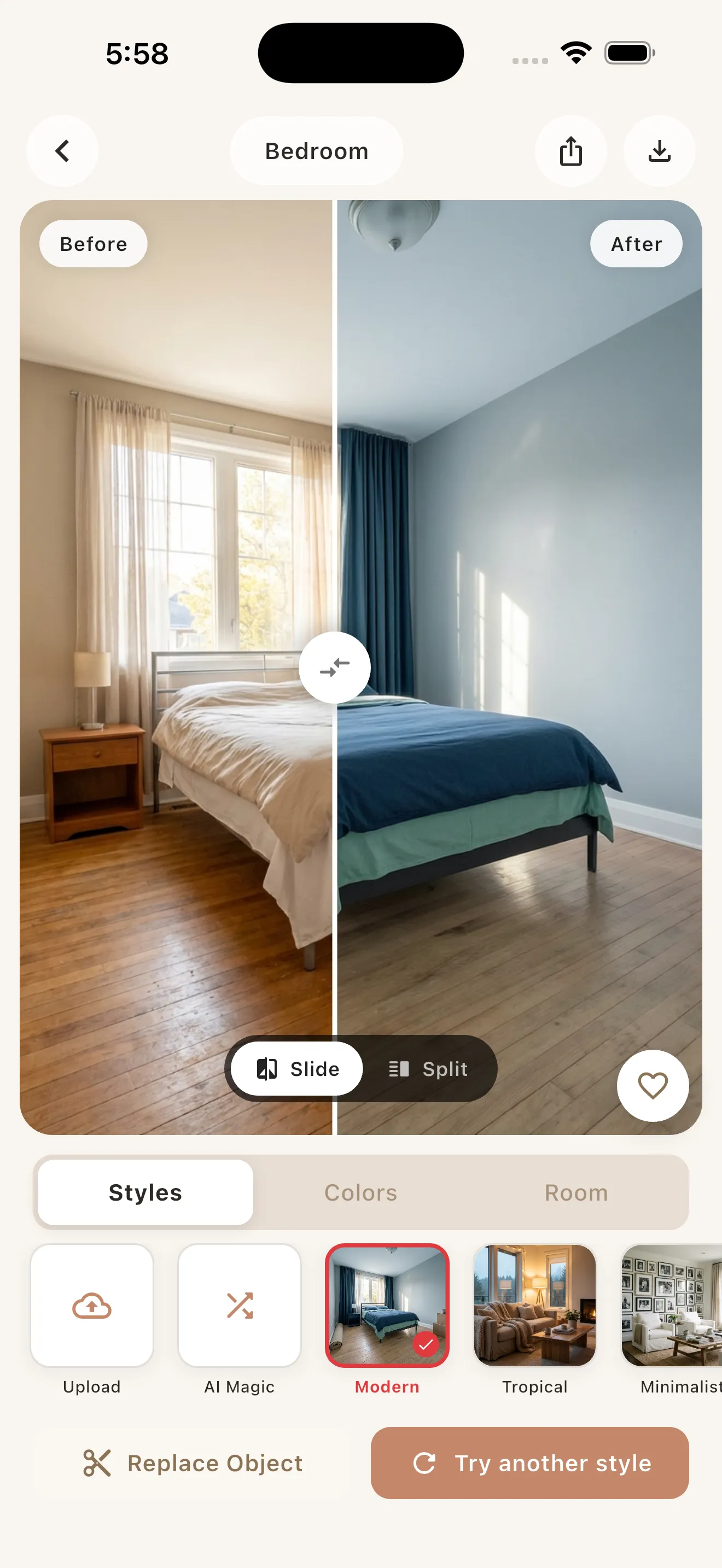
To remodel a room with AI, take a clear, well-lit photo of the space, upload it to an AI interior design app like Archify, pick a design style and color palette, and let the AI generate a photorealistic before/after in seconds. Then iterate on styles, save your favorites, and use the results to brief a contractor or shop for furniture. The whole process takes minutes and costs nothing to try.
What “remodeling with AI” actually means
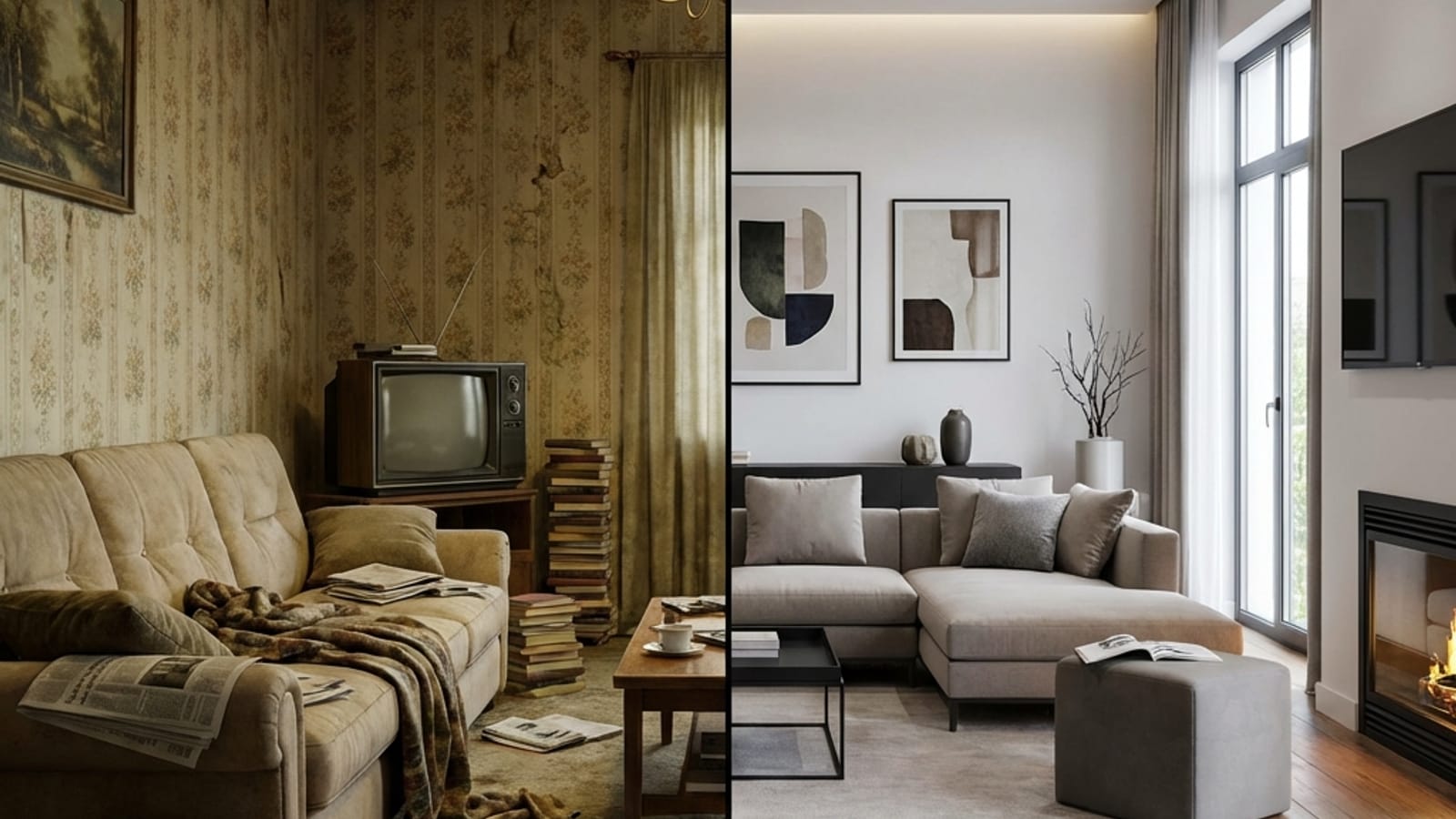
AI room remodeling uses generative AI to restyle a photo of your real room. You’re not designing in a 3D modeling program or hiring a designer up front. Instead, the AI reads your existing photo and repaints the furniture, finishes, colors, and decor in the style you choose, while keeping the room’s true bones intact.
The key distinction: a good AI interior design tool restyles your room rather than inventing a brand-new one. Archify preserves your room’s real layout, walls, windows, and perspective, so the makeover looks like the same space, just transformed. That makes the output genuinely useful as a visual plan instead of a random pretty picture.
One honest caveat to keep in mind throughout: AI designs are for visualization and inspiration, not construction-ready architectural drawings. Treat them as a mood board you can hold in your hand.
Step 1: Take a good photo
The quality of your makeover depends almost entirely on the quality of your input photo. AI works with what it can see, so give it a clear, honest view of the room.
- Shoot in daylight. Open curtains and turn on lights. Even, natural light helps the AI read surfaces and depth accurately.
- Capture the whole space. Stand in a corner or doorway and frame as much of the room as you can, including the floor, two walls, and any windows.
- Hold the camera level. Straight-on, eye-level shots preserve perspective better than dramatic angles.
- Declutter lightly. You don’t need a spotless room, but clearing the worst clutter helps the AI focus on the architecture rather than the mess.
- One room at a time. Don’t try to capture two rooms through a doorway; redesign each space separately.
This applies to exteriors too. Archify also works on house facades, front yards, gardens, patios, and backyards, so the same rules help if you’re remodeling a curb-appeal project.
Step 2: Choose a style and palette
Once your photo is uploaded, the fun begins. Pick a design style that matches the mood you want. Archify offers 21 interior design styles, so you can experiment widely:
- Calm and warm: Scandinavian, Japandi, Wabi-Sabi, Coastal
- Clean and simple: Modern, Minimalist, Mid-Century
- Bold and characterful: Industrial, Bohemian, Art Deco, Hollywood Regency
- Cozy and traditional: Farmhouse, Rustic, French Country, Cottagecore, Mediterranean
Then layer on one of 12 color palettes to steer the tone (think warm neutrals, moody darks, soft pastels, or earthy greens). The style sets the furniture and finishes; the palette sets the emotional temperature. Trying the same room in two or three style-and-palette combos is the fastest way to discover what you actually like.
Step 3: Generate and compare before/after
Tap generate, and within seconds you’ll get a photorealistic redesign of your room. The most valuable view here is the before/after comparison: your original photo side by side with the AI version.
Use the comparison to ask practical questions:
- Does the new layout still make sense for how you live?
- Which specific elements do you love (the sofa shape, the wall color, the lighting)?
- What feels off or unrealistic for your budget?
Because the AI keeps your real walls and windows, you can mentally map each change onto your actual room. That’s what turns a pretty render into an actionable plan.
Step 4: Iterate until it clicks
Your first result is rarely your final answer, and that’s the point. Iteration is where AI remodeling beats traditional mood-boarding for speed.
- Swap the style while keeping everything else, to see how the same room reads as Modern vs. Japandi.
- Hold the style, change the palette to fine-tune warmth and contrast.
- Save your top two or three so you can compare them directly later.
If you’re a renter and worried about permanent changes, focus iterations on movable elements like furniture, rugs, lighting, and decor. Our guide to an AI room makeover for renters digs into redesigning without renovating.
Step 5: Turn the result into a real plan
This is the step most people skip, and it’s where AI remodeling pays off. Your saved designs become a brief for the people and products that make it real.
- Briefing a contractor or designer: Show the before/after so they understand the direction instantly. Pair it with notes (“this paint tone, this flooring vibe, open shelving here”). Be clear that it’s inspiration, not a blueprint, so structural and code decisions stay with the pro.
- Shopping for furniture: Use the render to identify shapes, materials, and colors, then search retailers for real items that match. The AI sofa becomes your shopping reference, not a product you order directly.
- DIY projects: For paint, textiles, and decor swaps, the design doubles as your checklist.
How AI remodeling compares to traditional options
| Approach | Speed | Cost | Best for |
|---|---|---|---|
| AI app (e.g., Archify) | Seconds per design | Free to try; subscription for unlimited | Exploring styles, briefing pros, shopping |
| Interior designer | Days to weeks | High hourly/project fees | Full execution and sourcing |
| 3D modeling software | Hours per scene | Software cost + learning curve | Precise spatial planning |
| Pinterest mood board | Hours of collecting | Free | Loose inspiration, not your actual room |
Choosing the right AI app
Plenty of tools can restyle a room photo, including apps like Home AI, House AI, Interior AI Room, and AI Room Design. When comparing them, prioritize whether the app preserves your real room (not a generic stock space), how many styles and palettes it offers, and whether you can try it before subscribing.
Archify is free to download and try, with your first redesigns free and unlimited AI redesigns available via an in-app subscription. It’s available now on the iPhone App Store, with Android coming soon. For a wider look at the field, see our tested comparison of the best AI interior design apps in 2026.
Conclusion
Remodeling a room with AI comes down to five simple moves: shoot a clear photo, pick a style and palette, compare the before/after, iterate, and turn your favorite into a real-world brief. It’s the fastest, lowest-risk way to see your space transformed before you spend a cent on paint or furniture. If you want to see your own room reimagined in a few taps, Archify is a friendly place to start.
Frequently asked questions
How do I remodel my room with AI from just a photo?
Snap or upload a clear, well-lit photo of your room into an AI interior design app like Archify, choose a design style and color palette, and the AI generates a photorealistic before/after in seconds. Archify keeps your real walls, windows, and layout, so the makeover reflects your actual space and works as a visual remodeling plan.
Is AI room remodeling free to try?
Yes. Archify is free to download and your first redesigns are free, so you can test the process before committing. Unlimited AI redesigns are available through an in-app subscription. This lets you experiment with several styles on your own room and decide if it's worth it before paying anything.
Can I use AI room designs to brief a contractor?
Absolutely. Archify designs are made for visualization and inspiration, not construction-ready plans, but they're an excellent brief. Show your contractor or designer the before/after to communicate direction instantly, then add notes about paint, flooring, and finishes. Leave structural and code decisions to the professional, using the render as a shared reference.
Does AI change my actual room or generate a different one?
Archify restyles your real room rather than inventing a new one. It preserves your room's true layout, walls, windows, and perspective, then repaints the furniture, finishes, and decor in your chosen style. That's what makes the result usable as a remodeling reference instead of a random, unrelated image of someone else's space.
What styles can I try when remodeling a room with AI?
Archify offers 21 interior design styles, including Modern, Scandinavian, Minimalist, Japandi, Industrial, Bohemian, Mid-Century, Coastal, Farmhouse, and more, plus 12 color palettes. You can also redesign exteriors like facades, patios, and gardens. Trying the same room in two or three style-and-palette combinations is the quickest way to find what you love.
Which app should I use to remodel a room with AI in 2026?
Several apps restyle room photos, including Home AI, House AI, and Interior AI Room. When choosing, check whether the app preserves your real room, how many styles it offers, and if you can try it free first. Archify meets all three and is available now on the iPhone App Store, with Android coming soon.